
Desktop
There are two ways to access the News app on desktop:
- From the Dashboard, scroll to the News section on the right side of the page. Select an entry title to view details, or click Go to News to open the full app.
- Open the App Switcher in the top-left corner and select News.
Recent news entries are available in both locations.
When you open the News app, you will be taken to the News Releases page. Use the Search and Filter options to find the entry you’re looking for more quickly. Click on the title of any entry to view the full details.
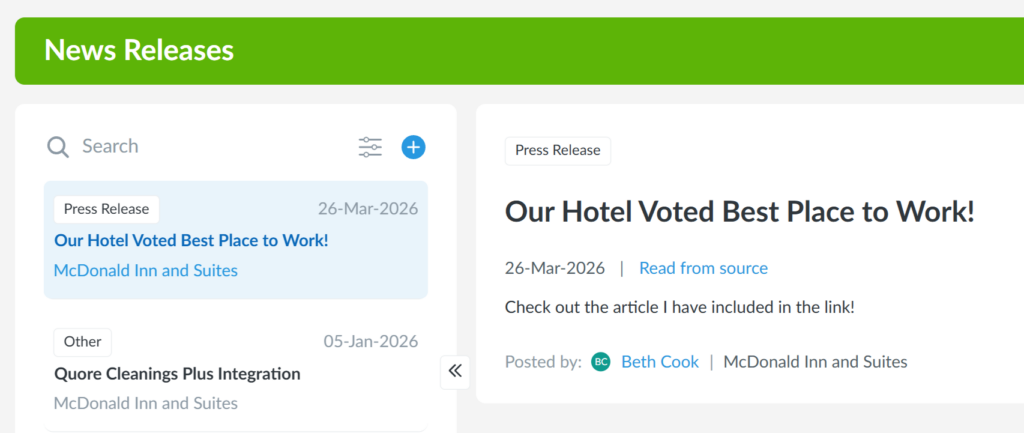
To post an entry, click the + icon to the right of the Search field. Click here to learn more about creating a news story.
Mobile
The News app in the Quore mobile app is view-only. To publish a news entry, log in to Quore on the desktop.
To view News entries on the Quore mobile app:
- Open the Quore mobile app and sign in.
- Tap the App Switcher in the bottom-right corner.
- Select News.
- Browse recent news entries, or use Search and Filter to quickly find what you need.
- Tap any entry to open it and view the full details.
You can search for news entries by:
- Property name
- Headline
- Date
- Creator of the release
Clear information is easier to find when you need it. A quick search can help you get to the right update without scrolling through every entry.