
In this article, you will learn how to create, edit, and delete a news entry from the desktop.
How to Create a News Entry
1. Log in to Quore on the desktop.
2. Select the App Switcher in the top-left corner, then choose News.
3. In the News app, select the + icon next to the Search field.
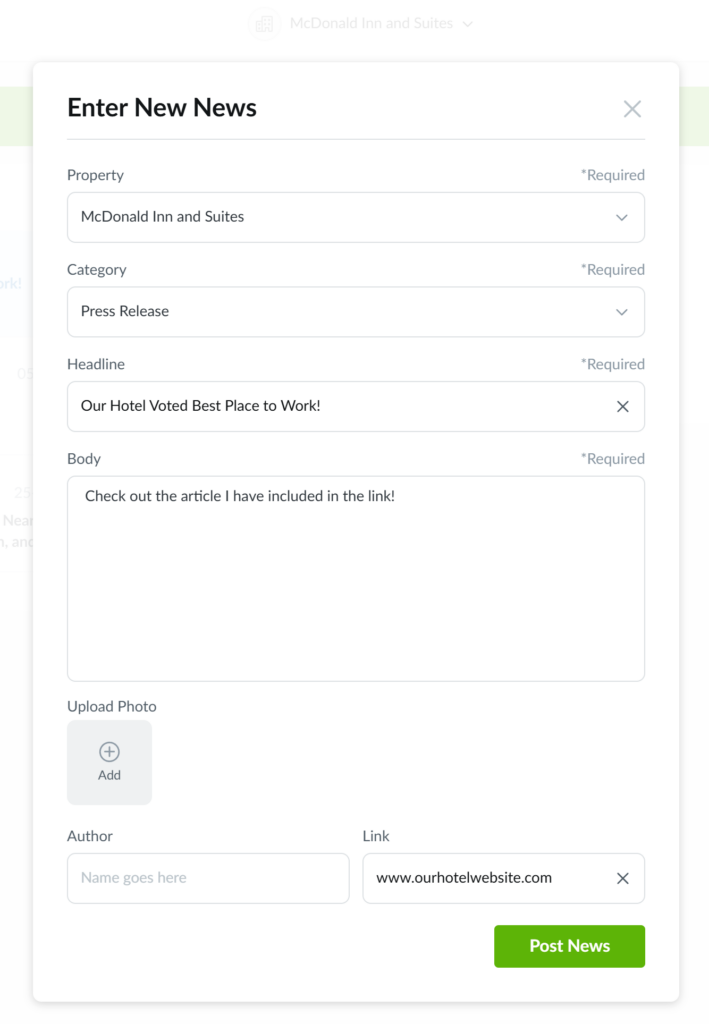
4. Select the Category, Headline, and enter more context in the Body field.
Note: Users with access to multiple properties will see a Property dropdown.
5. If needed, add extra details using these optional fields:
6. When you’re ready, select Post News.
How to Edit, Delete, and Print a News Entry
1. Log in to Quore on the desktop.
2. Select the App Switcher in the top-left corner, then choose News.
3. Open the news entry you want to manage.
Pro Tip: Use the Search and Filter options to find what you’re looking for more quickly.
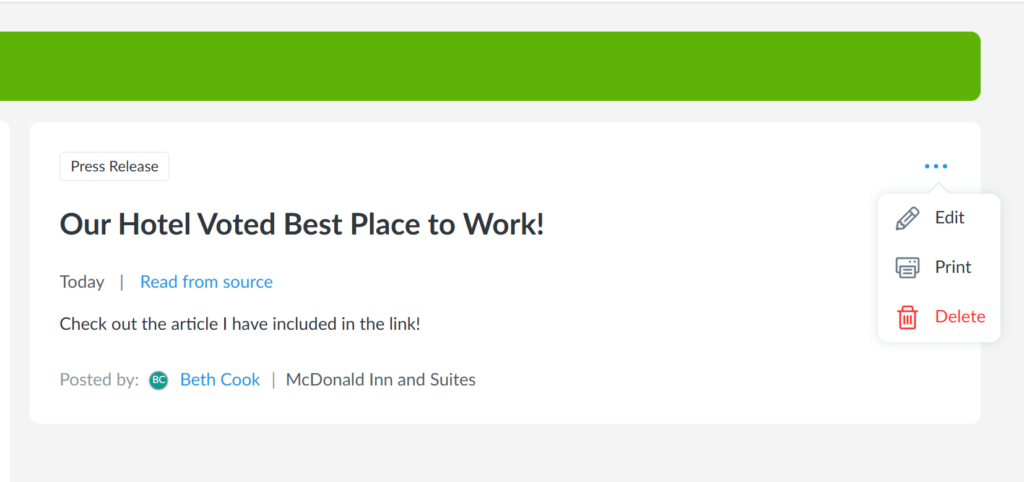
4. Select the three-dot menu in the top-right corner of the entry.
5. Choose one of the following options:
- Edit to update the entry
- Print to create a printed copy
- Delete to remove the entry
Note: In addition to the creator, only users in the same department or those with higher-level titles can edit or delete the entry.