In this article, you will learn how to view Budget reports in the Reports app.
To access Budget reports, log in to Quore on the desktop and click on the Reports app from the App Switcher. From Reports, you will see Budget & Checkbook on the Library page. Click on the Budget & Checkbook row to view reports. Once you have clicked on the report you wish to view, you can filter and run the report.
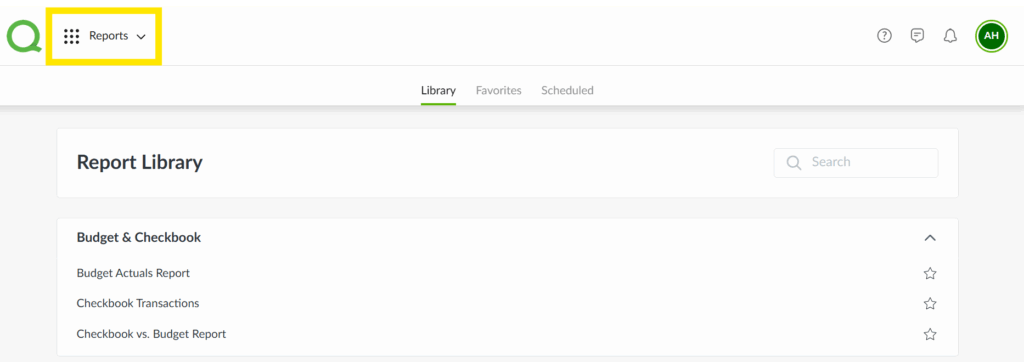
Budget Actuals Report – This report lists all budget settings established in the selected property/properties’ General Ledger(s) and any amounts entered on the Actuals page in the Budget app.
Checkbook Transactions – This report lists all Checkbook app transactions for the specified budget periods, departments, groups, categories, and vendors.
Checkbook vs. Budget Report – This report provides the list of checkbook transactions for the selected department and category for a specific budget period along with the associated budget (Flex or Actual) status.