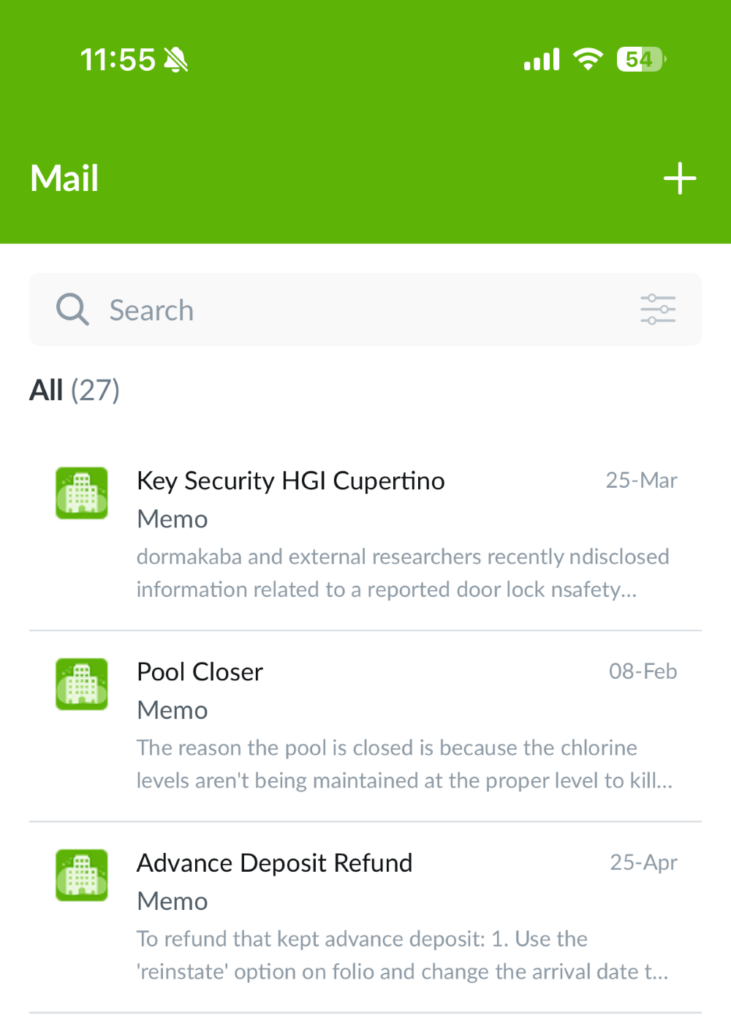
In this article, you’ll learn how to manage your Mail inbox in Quore using the desktop and mobile apps.
SECTIONS:
How to Delete Messages (Desktop)
How to Delete Messages (Mobile)
How to Forward Messages (Desktop)
How to Filter and Sort Messages (Desktop)
How to Filter and Sort Messages (Mobile)
How to Delete Messages (Desktop)
1. From the desktop Mail app, select the message you want to delete.
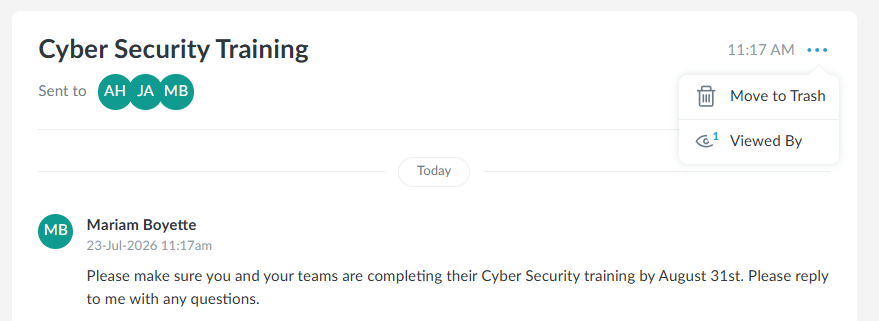
2. Click the three-dot menu in the top-right corner of the message.
3. Click Move to Trash, then confirm.
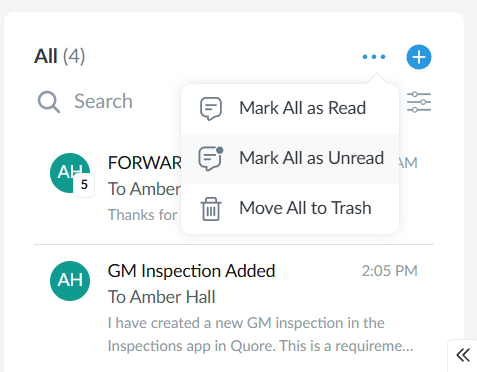
4. To move all messages to Trash, click the three-dot menu beside the + icon and select Move All to Trash.
To view messages in the Trash folder, select the Filters icon (three lines), choose Trash from the Show field, and select Save. From there, you can review deleted messages or empty the Trash folder.
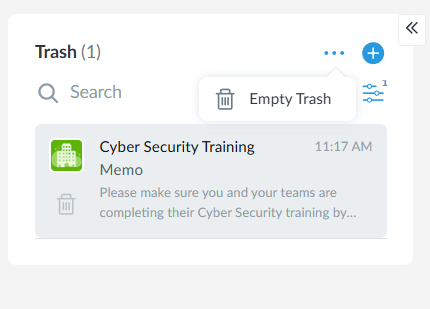
Note: Emptying your Trash folder permanently deletes all messages and memos stored there.
How to Delete Messages (Mobile)
1. From the mobile Mail app, select the message you want to delete.
2. Select the Trash icon in the top-right corner of the message to move it to Trash.
How to Forward Messages (Desktop)
Note: Forwarding is available for messages only; memos cannot be forwarded. This feature is only available on the desktop.
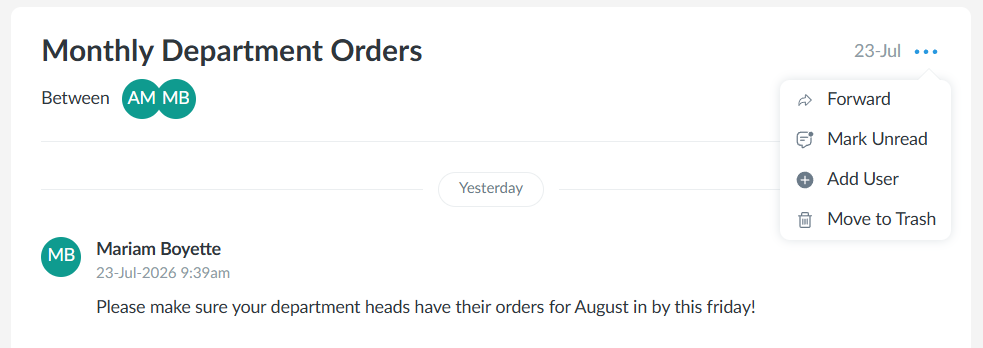
1. From the desktop Mail app, select the three-dot menu in the top-right corner of the message, then select Forward. Messages can be forwarded to any user within your management company.
2. Select the recipient(s) in the Forward To field, then select Forward to send the message. A copy of the message thread will be sent to the selected recipients.
Pro Tip: Need to include someone else in the conversation? Select Add User to add them to the existing message thread.
How to Filter and Sort Messages (Desktop)
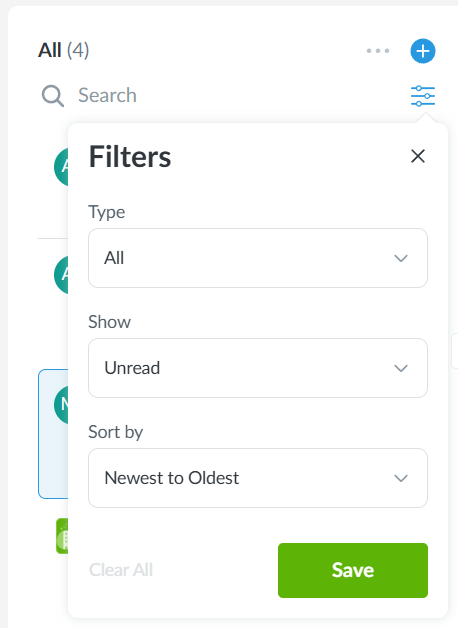
1. From the desktop Mail app, select the Filters icon (three lines) above your messages to filter by Messages or Memos, view All, Unread, or Trash items, and sort messages from Newest to Oldest or Oldest to Newest.
2. Select the three-dot menu above the message list to Mark All as Read, Mark All as Unread, or Move All to Trash.
How to Filter and Sort Messages (Mobile)
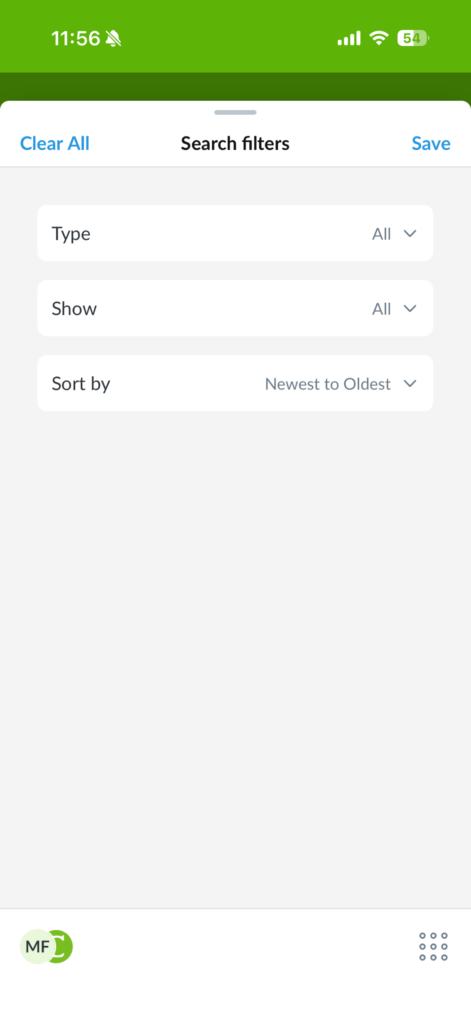
1. From the mobile Mail app, select the Filters icon (three lines) above your messages to filter by Messages or Memos, view All, Unread, or Trash items, and sort messages from Newest to Oldest or Oldest to Newest.
Pro Tip: Looking for a specific message or memo? Search keywords to find it more quickly.